

Multi-location management means running operations, staff, inventory and reporting for several sites from one central point of control, rather than treating each site as its own business. The single biggest move you can make is putting a central dashboard in place so you manage by exception, not by driving between sites. Software and clear governance are what make that possible.
TL;DR:
- Centralized dashboards enable real-time tracking of inventory, sales, and staffing across multiple sites, reducing manual effort and data silos.
- Prioritize central control of pricing, financial reporting, and SOP compliance to prevent costly inconsistencies and customer confusion.
- Implement standardized processes and role-specific dashboards before expanding to maintain operational clarity and efficiency.
- Use key metrics such as sales per square meter, labor costs, and stock-outs weekly, to manage by exception and address issues proactively.
- Adopting specialized management platforms like DojangHub can save significant admin time and ensure consistent operations across all locations.
Table of Contents
- What multi-location management covers
- Which operations should you centralise first?
- How do you roll out multi-location management step by step?
- What technology actually cuts the admin work
- Who manages what across sites
- Which KPIs actually tell you where to look
- How do you fix an underperforming site without guessing
- How DojangHub supports multi-centre coordination
- Operations lead perspective: the mistake most owners make opening site two
- Try a central dashboard built for academies
- Sources
What multi-location management covers
Multi-location management is the centralised coordination of operations, reporting, inventory and staffing across sites that are physically separate but commercially connected. That definition covers three quite different setups: fixed permanent branches, temporary pop-ups or seasonal sites, and hybrid models that mix a flagship location with smaller satellite operations. Each needs a different degree of centralisation. A chain of five permanent branches can standardise almost everything. A business running pop-ups needs lighter, faster templates that can be deployed and torn down quickly.
You know it's time to move off spreadsheets when any of these start happening:
- You're copying the same numbers into three different files every week.
- No one can tell you, without phoning around, which site is short on stock right now.
- Staff scheduling clashes are discovered after the shift starts, not before.
- Pricing has quietly drifted apart between sites with no one deciding it should.
Which operations should you centralise first?
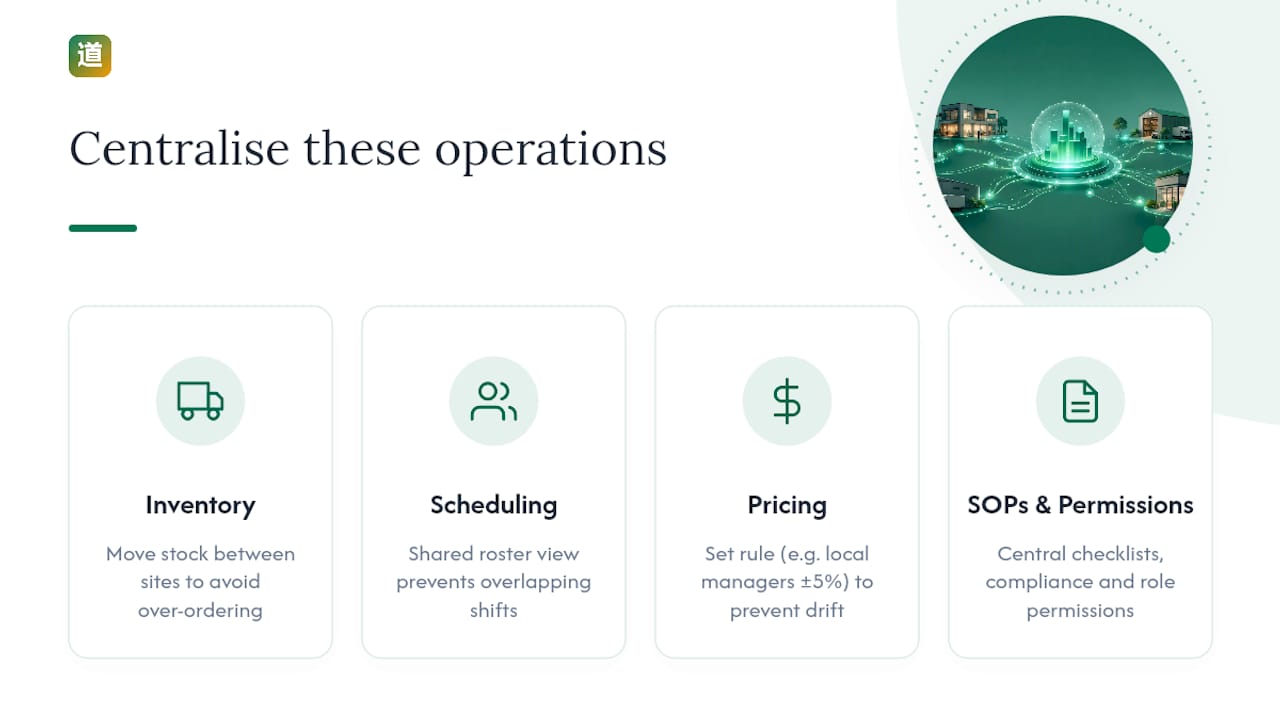
Not everything needs central control on day one. Prioritise the domains where inconsistency actually costs money or trust.
Inventory and stock redistribution comes first for most businesses. Knowing what sits where means you can move stock between sites instead of over-ordering everywhere.
Central scheduling and labour costs matter almost as much. A shared roster view stops you paying for overlapping shifts at one site while another runs short-handed.
Pricing and product consistency needs a rule, even if the rule is "local managers can vary price by up to 5%". Undecided pricing drift confuses customers and complicates reporting.
SOPs, compliance checklists and role-based permissions tie the rest together. Practical guides advise setting central standards for finance, procurement and process before you scale further.
Pro Tip: Write your standard operating procedures as checklists, not paragraphs. A five-step checklist gets followed at 9pm on a Friday; a page of prose does not.
How do you roll out multi-location management step by step?
Scaling from one site to several is a systems problem, not a staffing problem. Follow this sequence:
- Assess goals and decide your centralisation level. Decide upfront what stays local (hiring, day-to-day scheduling tweaks) and what goes central (pricing rules, financial reporting, compliance).
- Standardise processes before you scale. Build master templates for onboarding, opening/closing procedures and stock counts so every new site starts from the same baseline, as Business Launchpad recommends.
- Choose a central dashboard and list essential integrations. Point of sale, scheduling, accounting and payroll all need to feed one place.
- Pilot at one or two sites. Measure what breaks, adjust the template, then extend it.
- Define staff roles and permissions. Decide exactly who can see what and change what before you add a fourth or fifth location.
- Set KPIs and a weekly roll-up reporting cadence. Pick a small number of metrics you'll actually check every week.
- Build governance and a continuous improvement loop. Someone owns the master templates and updates them when a site finds a better way.
What technology actually cuts the admin work
The time savings come from specific integration patterns, not from software in general. A central dashboard with roll-up reporting gives you a consolidated view instead of five separate logins, letting you compare sites and build a weekly prioritised action list of where to focus.
Beyond the dashboard itself, look for:
- Point-of-sale and inventory systems that sync stock levels automatically across sites.
- Scheduling tools that flag labour-cost overruns before the shift happens, not after payroll runs.
- Accounting and payroll integrations that remove manual re-entry of the same numbers.
- APIs and single sign-on so local managers get role-based access rather than one shared login for everyone.
Avoiding data silos is the underlying goal here. Fragmented systems mean fragmented reporting, and fragmented reporting means you find problems weeks after they started, not days.
Who manages what across sites
Confusion over ownership is where multi-site operations usually go wrong first. Draw a clean line between head office and local responsibility before you open a second site, not after.
- Central (HQ) owns: pricing rules, financial reporting, procurement contracts, brand standards, and the master SOPs everyone follows.
- Local managers own: day-to-day staffing decisions, customer relationships, and flagging exceptions that need central attention.
- Role-specific dashboards keep this division real rather than theoretical. A local manager should see their own site's numbers in detail and nothing that invites second-guessing HQ decisions.
For an early second site, redeploying a trusted existing staff member usually beats hiring cold, since they already know your standards. Whoever runs the new location needs a short, structured induction against your written SOPs, not an afternoon of verbal instructions that gets forgotten by Thursday.
Which KPIs actually tell you where to look
Consolidated roll-up reporting is only useful if you're watching the right numbers. A workable starting set:
- Sales per square metre or per session, depending on your business model.
- Visit or attendance rate against capacity.
- Labour cost as a percentage of revenue.
- Stock-outs per week.
- Payment failure or arrears rate.
Building these into a weekly roll-up report turns raw numbers into an action queue: which site needs attention first, ranked, not just displayed. That's what "managing by exception" actually looks like in practice: an alert flags the outlier site, you investigate that one, and the rest of the week you leave the sites that are performing normally alone.
How do you fix an underperforming site without guessing
Run a short diagnostic before you assume you know the cause. Check, in order: the site itself (footfall, location factors), staffing (turnover, training gaps), product or stock (availability, local demand), and systems (was there a recent change to pricing or a local promotion nobody flagged centrally).
- Use the same standardised checklist for every site review, so you can compare outcomes fairly.
- Run a brief post-mortem after fixing anything, and write down what actually worked.
- Share working playbooks across sites instead of leaving each manager to reinvent them.
- Set a review cadence: weekly for action items, monthly for the bigger patterns.
Consistent health and safety standards should be included in this same checklist, particularly when sites operate under different local conditions.
How DojangHub supports multi-centre coordination
DojangHub was built around the exact problem martial arts academies face when they open a second or third dojang: the same student record, payment status and instructor schedule now need to exist consistently across sites, not in three different notebooks.
- Multi-centre scheduling that keeps instructor assignments and class timetables aligned across locations.
- Automated payment tracking with multi-currency dues processing for academies operating across borders.
- Role-specific dashboards so head office, local instructors and families each see only what's relevant to them.
Academies using the platform report saving up to 10 hours a week that previously went into manual admin and chasing paperwork between sites.
Operations lead perspective: the mistake most owners make opening site two
The mistake is delaying the dashboard until site three, believing two sites are still manageable by memory. They rarely are. Build the central system before you need it, not after you're firefighting.
— Package
Try a central dashboard built for academies
There are general-purpose business tools for coordinating multiple locations, but few are built around the specific rhythm of a martial arts academy, where grading cycles, belt tracking and instructor rosters don't map neatly onto generic retail templates. DojangHub is the alternative to running a second dojang on spreadsheets and group chats: one dashboard for student records, attendance, grading, scheduling and multi-currency dues across every centre you operate.
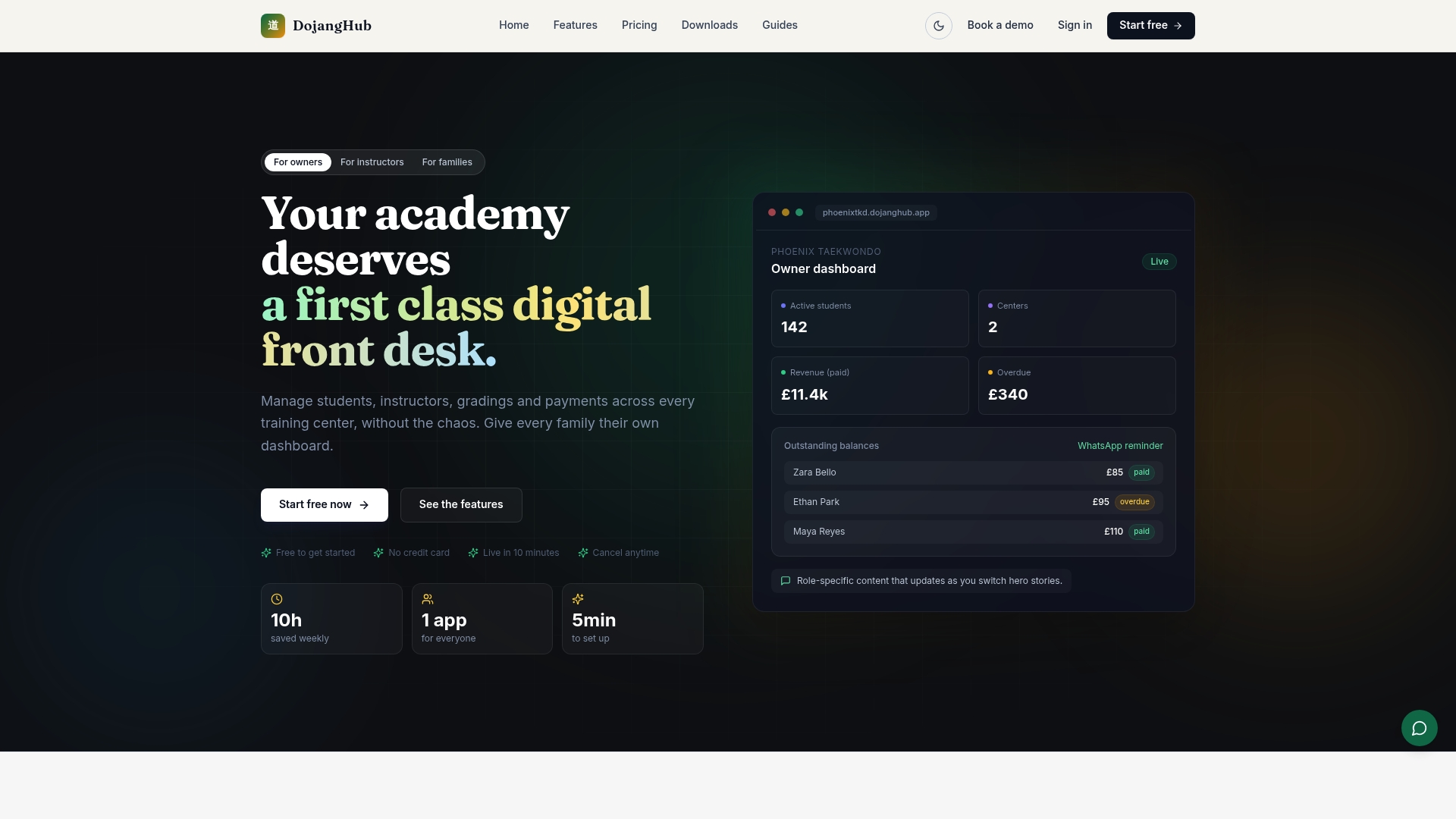
The platform gives owners a role-based view across locations, automated payment tracking so arrears don't get missed at a busy site, and multi-centre scheduling that keeps instructors and classes coordinated without a phone call. If you're weighing up whether to formalise operations before or after opening your next centre, the practical answer is before. Start a free trial with DojangHub and see your current site's data in a central dashboard before you add a second one.
Sources
- What Is Multi-Location Management? A Guide
- Multi Location Management Guide - Business Launchpad
- Consolidated views (Roll-up reporting)