

Multi site access control, in a martial-arts management platform, means unified role-based permissions scoped to specific branches rather than separate logins for separate locations. The recommended model is one shared student database with restriction-scoped roles and a central admin layer above it. Get this right and you get consistent belt records, one billing system, and staff who only see the branch they run.
TL;DR:
- Using a unified, role-based permission system with site restrictions prevents duplicate student profiles and billing conflicts across multiple locations.
- Role templates and bulk assignment streamline permission management as the number of branches grows, while audit logs ensure accountability and traceability.
- Real-time activity monitoring helps detect misconfigurations or unauthorized access attempts early, reducing data leakage and operational errors.
- Prioritizing a single, consistent student database creates a reliable foundation before implementing granular, site-specific access controls.
- A platform like DojangHub automates multi-site scheduling, attendance, and payments within a single system, saving owners hours weekly versus managing spreadsheets or disconnected systems.
Table of Contents
- What is multi site access control for a martial arts academy?
- Why unified data architecture matters more than multiple instances
- Core features every multi site access control system should provide
- How to design roles, restrictions and naming conventions for your academies
- Implementation checklist: roll out multi site access control in six practical steps
- DojangHub's approach to multi-branch permissions
- Real-time access monitoring across multiple sites
- Where multi-site academies get access control wrong
- Try DojangHub for centralised multi-site access
- Sources
What is multi site access control for a martial arts academy?
Most academy owners discover the problem the hard way: a student trains at the downtown location on Tuesdays and the north branch on Saturdays, and suddenly two instructors are logging separate attendance for the same person. That's not a training issue. It's an architecture issue.
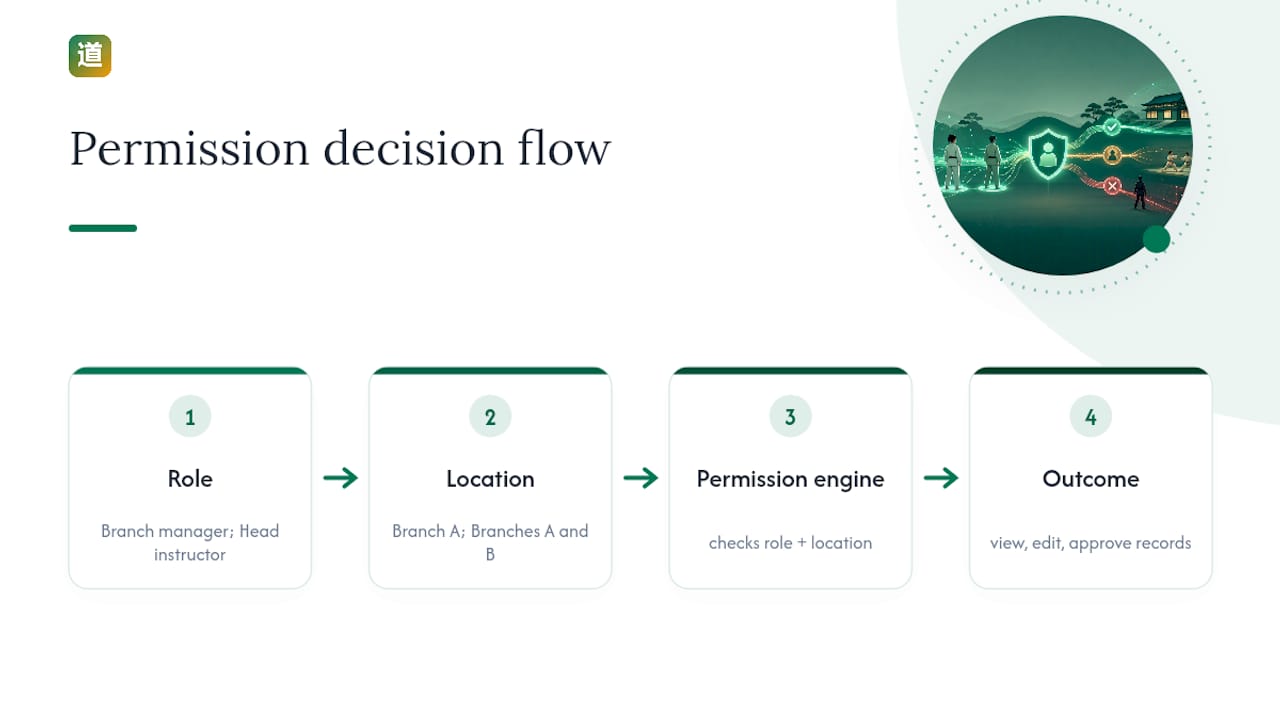
Multi site access control describes the software layer that decides who can see, edit, or approve what, filtered by which branch they belong to. It sits on top of role-based access control (RBAC), the standard industry term for permission systems built around job function rather than individual identity. A branch manager role might see everything at Branch A. A head instructor role might see class rosters at two branches but not payment records at either. The permission engine checks both the role and the location before it lets anyone touch a record.
This differs from location based access control in physical security, which governs doors and turnstiles. Here, the "location" is a data boundary inside software, not a badge reader in a hallway. Confusing the two leads owners to shop for the wrong product entirely.
Why unified data architecture matters more than multiple instances
Two systems can both claim to run "three locations" and behave completely differently underneath. One keeps a single student database with a branch tag on every record. That's unified. The other spins up a separate account, login, and database per branch and stitches reports together afterwards. That's aggregated, and it causes more problems than owners expect.
An aggregated setup means a student who trains at two branches gets two profiles, two attendance histories, and sometimes two invoices for the same month. Belt progression gets recorded in one system but not the other, so a black belt candidate's grading history looks incomplete during review. Someone on your team then has to manually reconcile spreadsheets to figure out which record is current.
A unified data architecture keeps a single student record and a single billing status across every branch and removes duplicate profiles and billing conflicts before they start. In practice, unified systems tend to show up as:
- One master student record, tagged with a home branch and any additional training locations
- One billing ledger per family, not one per branch
- Attendance and grading history that follows the student, not the location
- Reports that pull from a single source instead of merged exports
Centralised scheduling tools that manage every branch from one dashboard also mean a class change at one site updates instantly everywhere a member might look, including waitlists that span locations.
Core features every multi site access control system should provide
A platform that handles multi-branch operations properly needs more than "add a location field." Here's what actually separates a system built for this from one bolted together after the fact:
- Site-aware roles. Permissions attach to a role and a restriction (typically the branch code), so the same "instructor" role behaves differently depending on which branch it's assigned to.
- Global versus restriction-limited scopes. Owners and central finance staff need scopes that see across every branch, while branch-level roles stay locked to their own restriction.
- Role templates and bulk assignment. Enterprise RBAC systems offer role templates, bulk role assignment, and permission cloning, which matters the moment you open a fourth or fifth branch and don't want to rebuild every permission from scratch.
- Audit logs and change history. Every edit to a student record, payment, or grading should leave a trace of who changed what and when.
- Scoped read, create, and update checks. The system should filter what a role can see (read) and separately validate what it can create or edit, so a branch instructor can't accidentally write data into another site's records.
- Multi-site billing and cross-branch booking. Family plans, sibling discounts, and a student who trains at two locations all need billing logic that spans branches rather than treating each one as a separate customer.
Pro Tip: If a vendor can't explain how their system filters a "read" request differently from a "create" request per branch, assume the restriction logic is thinner than it sounds. Ask them to show you a real permission matrix, not a feature list.
Access-control systems built around a generic restriction property can extend standard permission scopes so an admin sees everything while a branch role only sees its own restriction, and both coexist in the same system without conflict.
How to design roles, restrictions and naming conventions for your academies
Design roles around function, not people. "Sarah's Login" tells you nothing six months after Sarah leaves. "Branch Manager, North" tells the next person exactly what that account can touch. Build your role list around functions that repeat across every location: branch manager, head instructor, assistant instructor, front-desk staff, and central finance.
Site codes need the same discipline. Most platforms let a restriction value sync automatically with a physical site (so "Branch 3" and "restriction: BR3" stay identical), but you can also decouple them to build custom administrative groupings. Restriction properties can be configured to sync with site codes or run independently, which is useful if you want a grouping like "westEU" that spans three physical branches under one regional manager.
Combining roles and restrictions is where most owners get tripped up. An instructor who teaches at two branches doesn't need two accounts. They need one account, one instructor role, and two restriction values attached to it.
Security discipline matters just as much as naming discipline:
- Apply least privilege by default: nobody gets access beyond what their role strictly requires.
- Require multi-factor authentication for finance and admin roles specifically, since these accounts touch payment data.
- Regularly review access permissions to keep them up to date. Staff turnover in martial arts academies is frequent enough that stale permissions accumulate fast.
RBAC guidance for cloud systems recommends exactly this combination: least privilege, MFA on sensitive roles, and periodic access reviews as standard practice, not an afterthought.
Implementation checklist: roll out multi site access control in six practical steps
Rolling this out badly usually means someone changes every permission overnight and spends the next month fielding confused calls from instructors locked out of their own rosters. A phased approach avoids that.
- Audit current access. List every user across every branch and what they can currently see or edit. Most owners are surprised by how many accounts have far more access than the person actually needs.
- Define roles and site codes before touching the software. Decide your function list (branch manager, instructor, finance) and your restriction naming convention on paper first.
- Configure role templates and sync settings. Build the templates once, then apply them to accounts rather than configuring each person individually.
- Pilot with one branch. Verify that student records stay unified and billing runs cleanly before rolling out to every location at once.
- Train staff and publish a permission matrix. Everyone should be able to see, in one document, what their role can and cannot do, plus the deprovisioning policy for when someone leaves.
- Turn on audit logging and schedule quarterly reviews. Track admin hours saved, duplicate record counts, and billing exceptions as your rollout KPIs.
Role templates paired with bulk assignment and audit trails cut the repetitive setup work considerably when you're managing more than two or three branches, and they give you the paper trail a review actually needs.
DojangHub's approach to multi-branch permissions
DojangHub was built around this exact problem: one student database, multi-centre scheduling, automated payment tracking, and role-specific dashboards that scope automatically to the branch a staff member runs. Instead of exporting spreadsheets from three separate logins, an owner sees every branch from one account, and a branch instructor sees only their own roster and classes.
Users of the platform report saving significant time each week on administrative work, mostly on tasks that multiply painfully across locations: reconciling attendance sheets, chasing payment status branch by branch, and manually updating grading records that should have synced automatically.
Real-time access monitoring across multiple sites
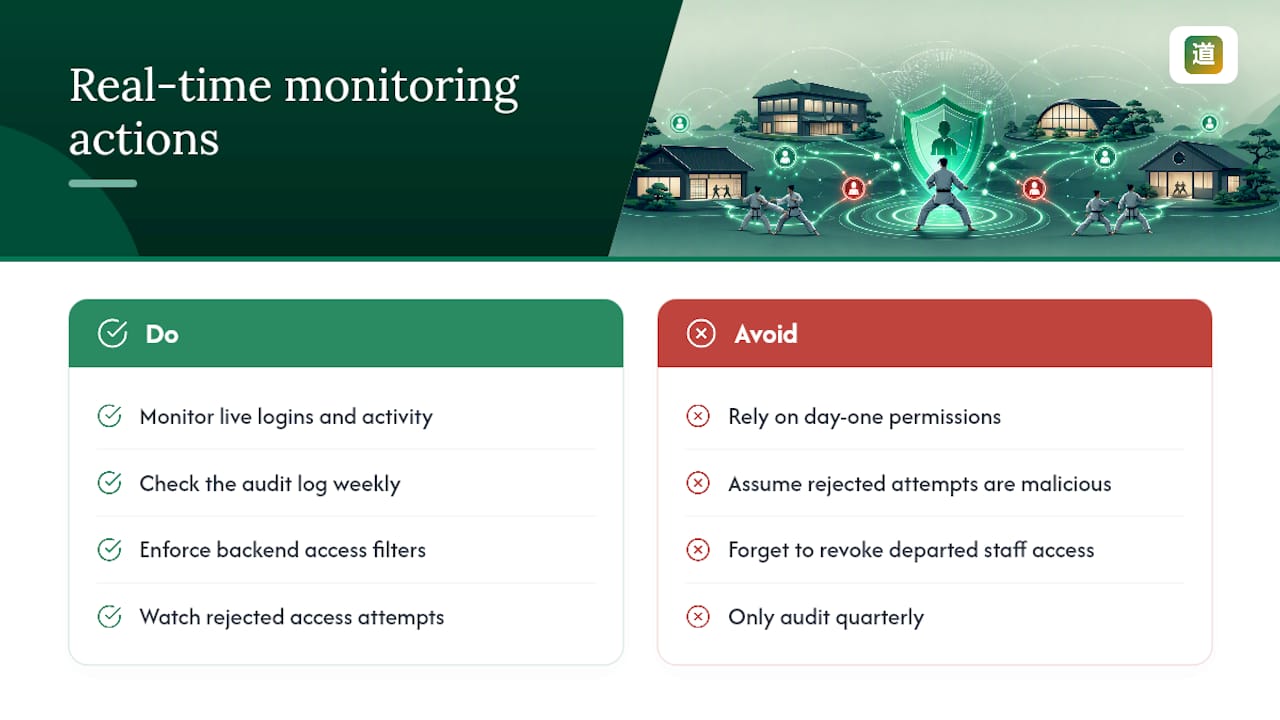
Permissions set correctly on day one don't stay correct forever. Staff change branches, instructors get promoted to regional roles, and someone inevitably forgets to revoke access when a part-time coach leaves. Real-time monitoring is what catches this before it becomes a problem.
A system with proper monitoring shows you, live, who is logged in where, what records they've touched in the last hour, and whether any account is attempting to access a branch outside its assigned restriction. That last point matters more than owners realise: a rejected access attempt at the permission layer is often the first sign that an account was set up incorrectly, not evidence of anything malicious.
Backend systems that filter and validate every request against allowed restrictions prevent cross-site data leakage automatically, without a human checking each transaction. That means a front-desk account at Branch 2 physically cannot pull up payment details for Branch 4, even by accident.
Real-time visibility also solves a subtler problem: multi-branch academies often run different peak hours across locations. A dashboard that shows live activity across every site lets a single owner working from one office spot an unusual pattern (a mass data export at 11pm, say) at any branch, not just the one they happen to be standing in.
The practical habit worth building: check the audit log weekly, not just during a formal quarterly review. Most anomalies get caught faster by someone glancing at recent activity than by a scheduled audit months later.
Where multi-site academies get access control wrong
The conventional advice treats access control as a security checkbox: set some passwords, assign some roles, move on. That undersells the actual cost of getting it wrong, which shows up as operational chaos long before anyone worries about data breaches. Duplicate student profiles, mismatched attendance records, and a finance person who can't tell which invoice is the real one are what actually eat an owner's week.
The mistake we see most often isn't weak passwords. It's aggregation dressed up as multi-site support. A vendor can genuinely say a system "supports multiple locations" while running separate databases underneath, and owners rarely notice until the reconciliation headaches start. Ask about data architecture before you ask about permission granularity, not after.
Prioritise unified student records first. Fine-grained role design matters, but it's meaningless on top of fragmented data. Get one source of truth in place, then build restriction-scoped roles on top of it.
— Package
Try DojangHub for centralised multi-site access
Running two or three branches on spreadsheets and separate logins costs you hours every week that a properly scoped system gives back. This platform is built specifically around that gap: one student database across every branch, role dashboards that scope automatically by location, multi-centre scheduling, and automated payment tracking that doesn't need reconciling branch by branch.
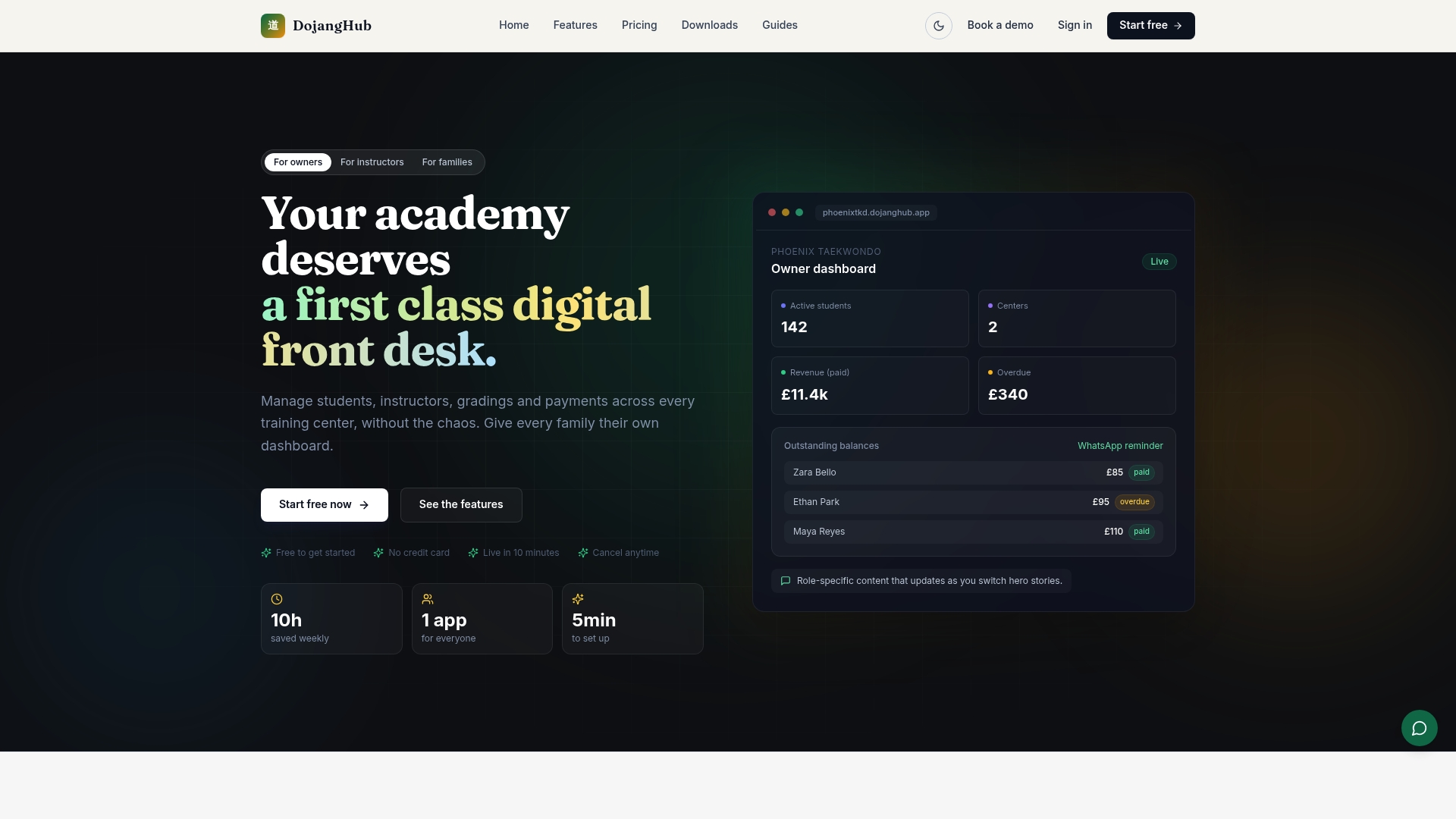
If you're currently juggling separate spreadsheets, separate logins, or a system that only pretends to be unified, it's worth seeing how a single-database platform handles it instead. Explore DojangHub's features and start a trial to see how your own branch structure maps onto role-based, site-scoped permissions from day one.